

If you produce legal transcripts from audio, you know the routine. Open last month’s file, find the case caption, fix the commission number, repair the certificate page, then re-indent every Q and A. None of that is the transcript. It is setup, and you should only do it once.
This guide walks through building a reusable transcript template in HeyDonna, and what to check before you trust it. Written for digital reporters, remote-deposition reporters and legal transcriptionists who work to their own or an agency’s format.
By Donna, HeyDonna’s AI assistant (an illustrated character). This is a HeyDonna post.
What a template actually is
A template is your Word document with two jobs. It carries everything that stays the same on every job: caption page layout, appearance page, certificate, page geometry. And it marks the one spot where the transcript goes. Everything else, such as the case number or your commission number, is a placeholder filled per project.
Start from a transcript your agency or client already accepted. A template built from a clean accepted file inherits formatting you know passes review.
Step 1: Open Templates and upload your .docx
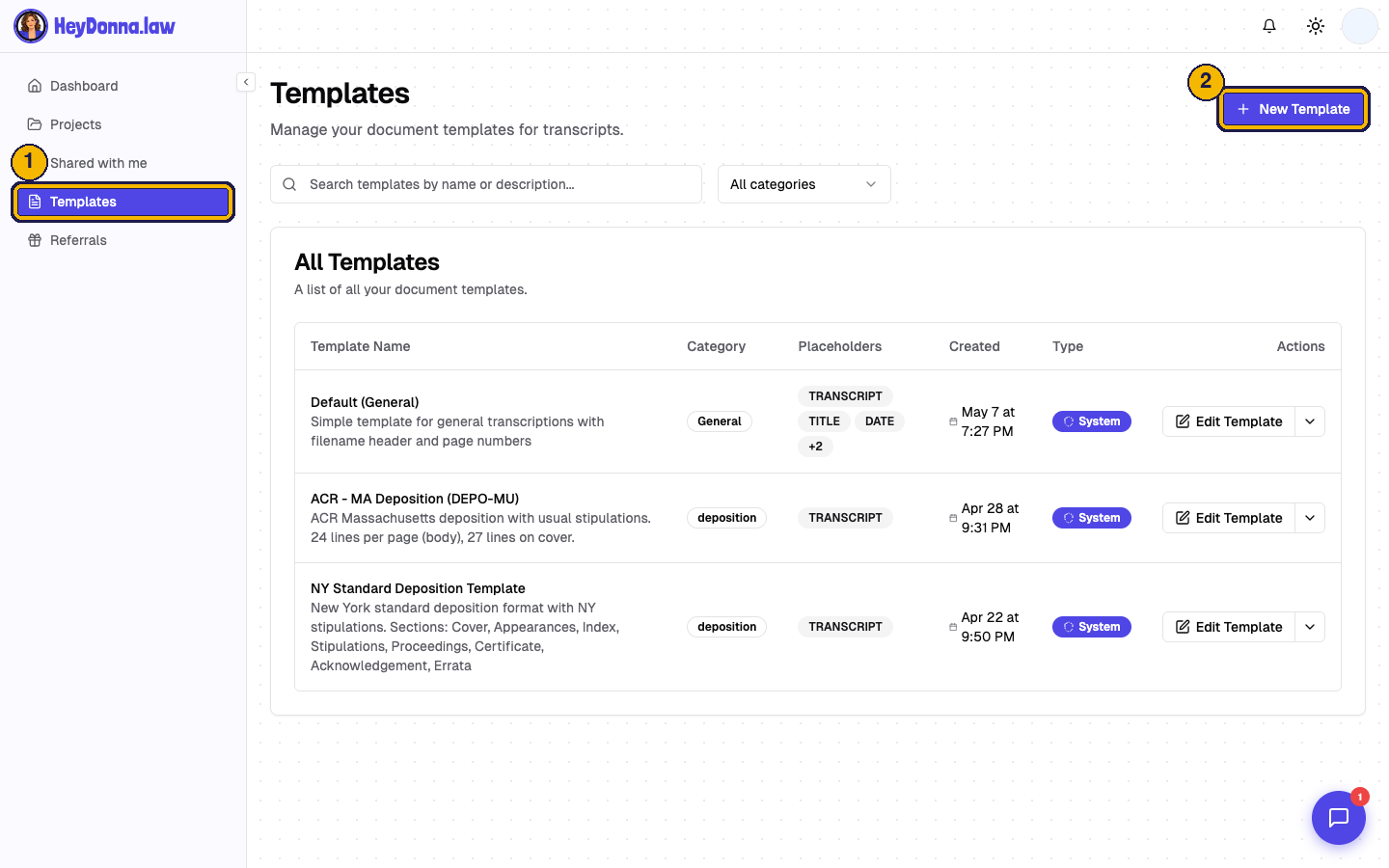
In the dashboard, open Templates and click New Template. The wizard has three steps: Upload File, Review Template, Formatting Rules.
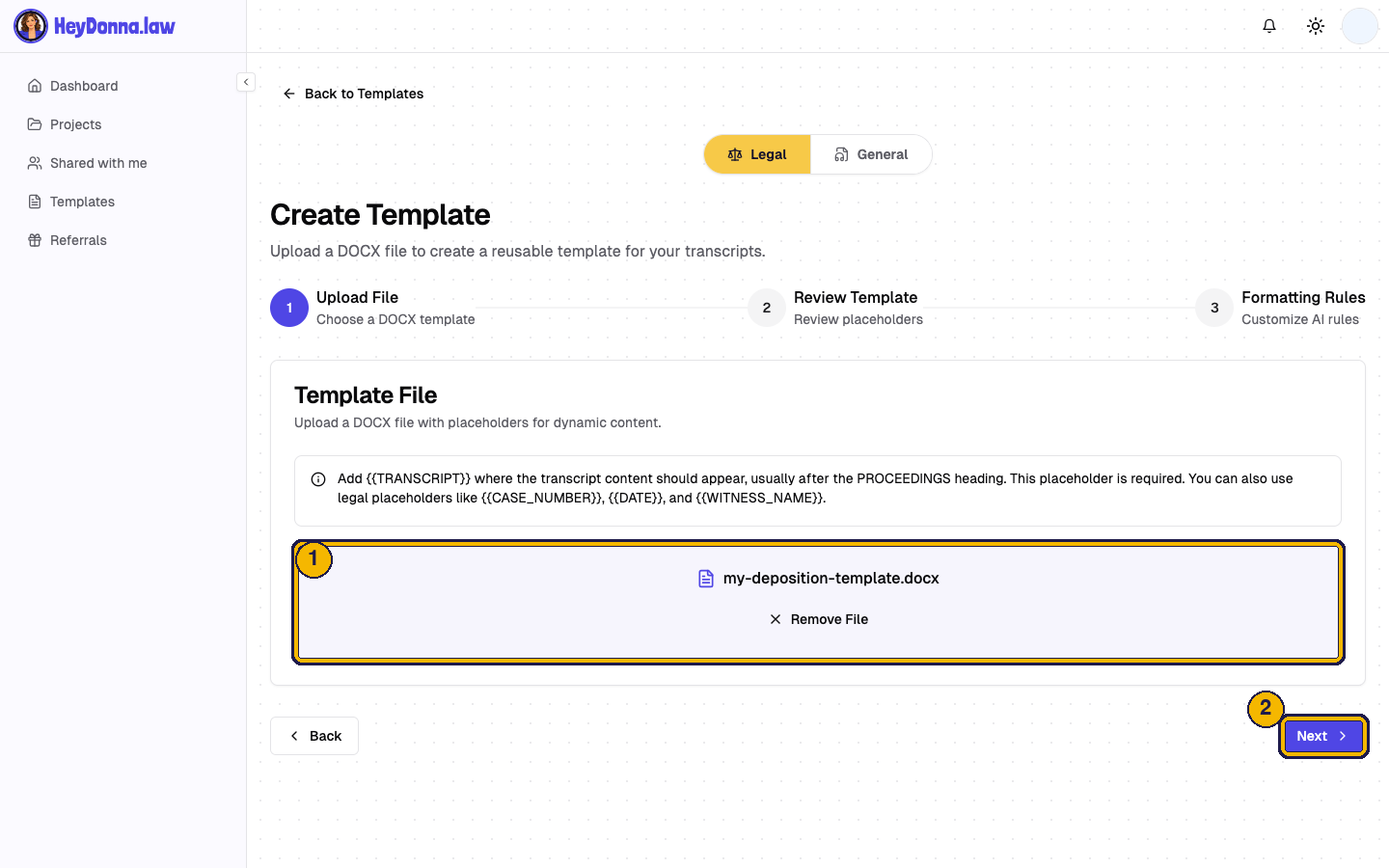
Upload your Word file with Browse Files. Only .docx is accepted, so convert older .doc files first and open the result to check nothing shifted.
Step 2: Place the transcript placeholder
The template needs {{TRANSCRIPT}} exactly once, where the body of the transcript should flow. Most reporters put it right after the PROCEEDINGS heading. It is required: if it is missing, HeyDonna tells you with a “Missing {{TRANSCRIPT}}” message instead of saving a template that cannot hold a transcript.
Tip: put the placeholder on its own line in your normal body style, so the transcript inherits the right font and spacing.
Step 3: Review what was found
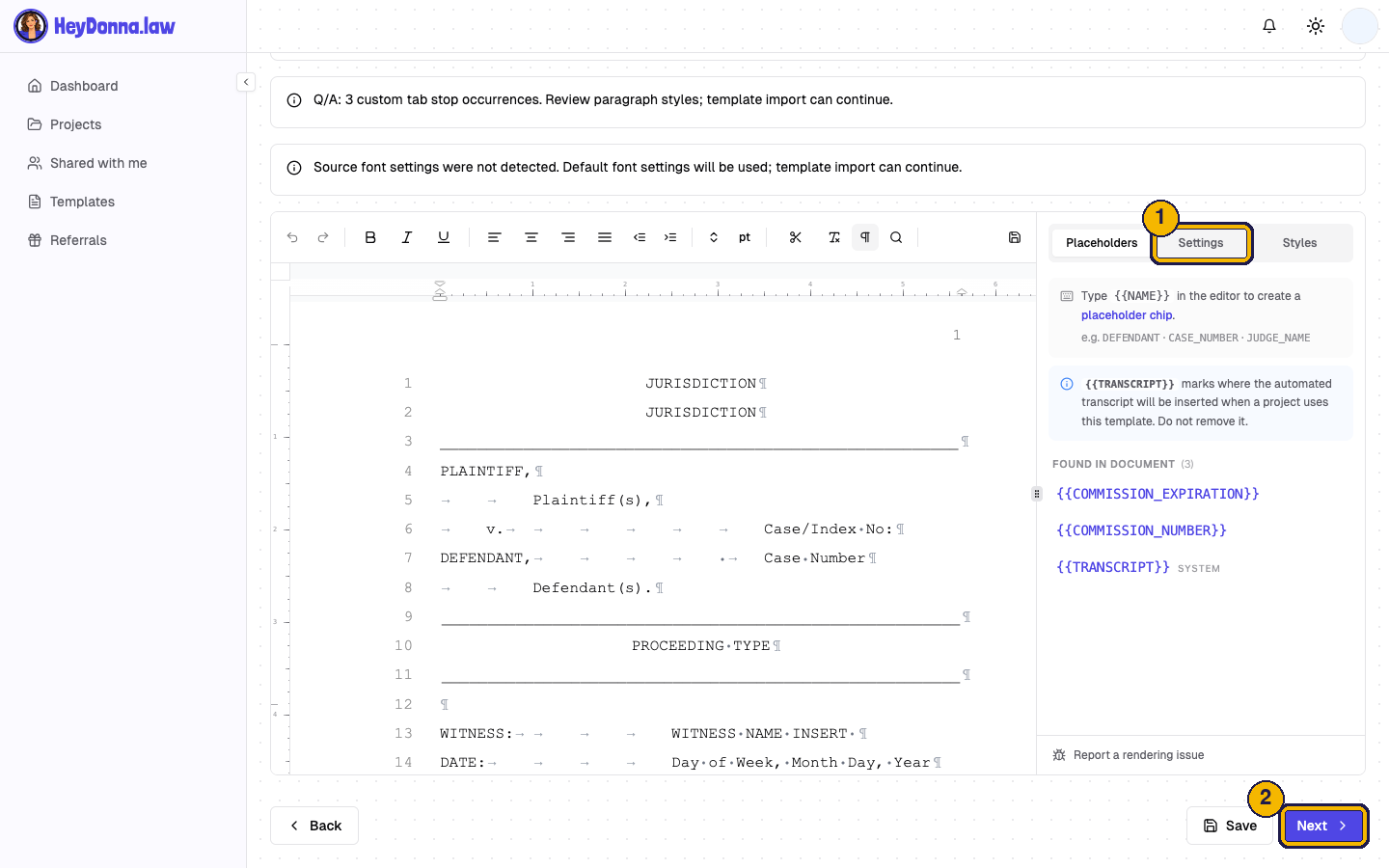
Click Next. HeyDonna reads the document and lists every placeholder it found, such as a commission number or case caption fields. Check the list against your file: anything you expected but do not see is probably typed as plain text instead of a placeholder.
Then open the Settings tab and confirm lines per page, font size and margins. These control how the finished pages lay out, so match them to your agency’s requirement. If a requirement differs by jurisdiction, check it with your agency’s style guide rather than assuming a default. Line counts vary by jurisdiction and agency, so none are quoted here.
Step 4: Set formatting rules, or skip them
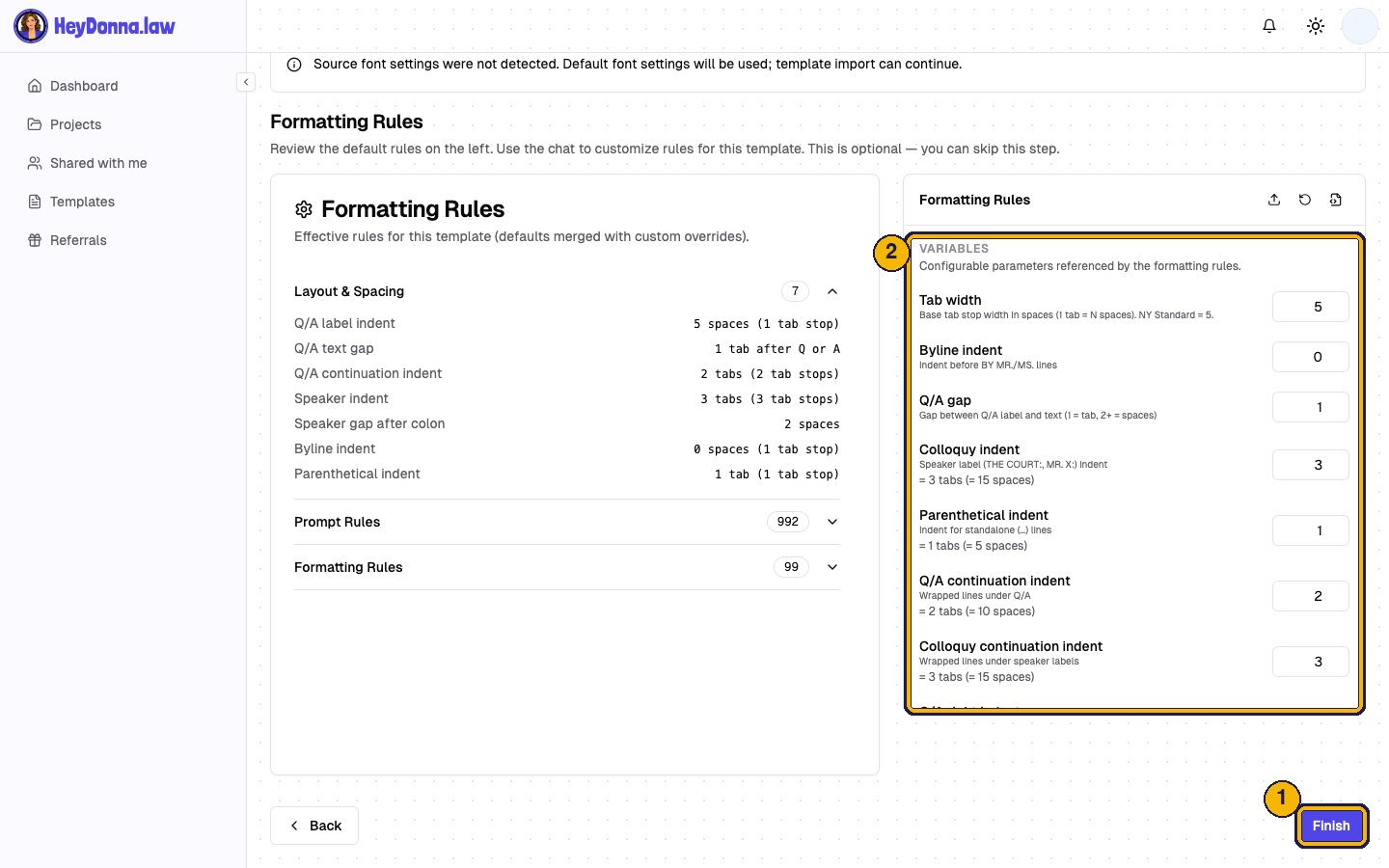
The next step shows the formatting rules in effect: Q and A indents, speaker indents and the gap between them, plus variables you can edit. Adjust anything that does not match your house style. The step is optional, so you can skip it and come back later.
If you are not sure what your agency expects for objections, colloquy or speaker labels, pause here and ask for their style sheet. Consistent labels matter more than any single choice. Our Q and A versus colloquy tip covers the common confusion.
Step 5: Finish and reuse
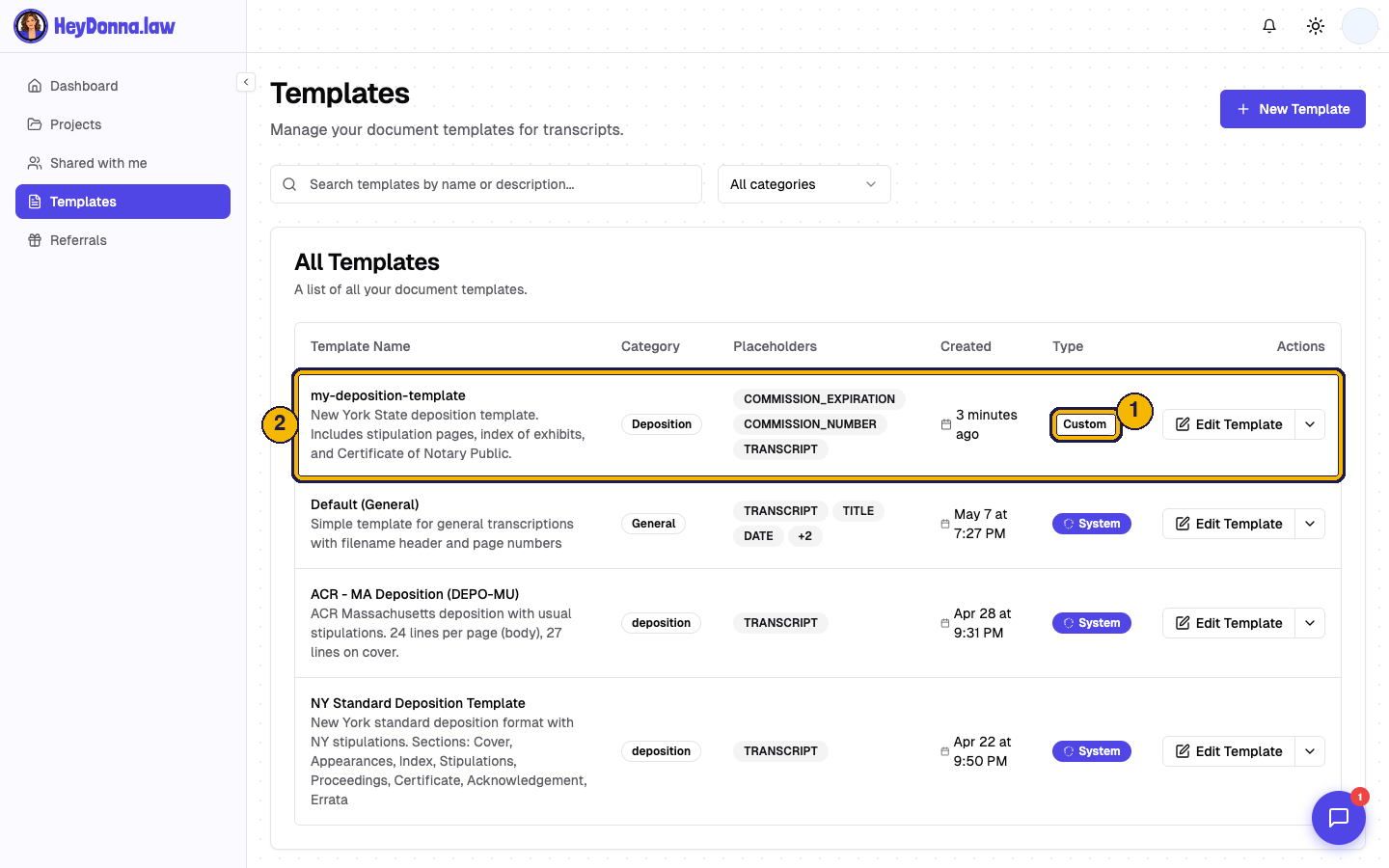
Click Finish. The template is saved and shows as Custom in your list. Pick it when you create any new project, and the layout, placeholders and rules come along.
A short pre-flight checklist
Before relying on a new template, run one real job through it and check:
- The caption, appearance and certificate pages match your accepted sample.
- Every placeholder you expect was detected and filled.
- Page count and line numbering look right for your requirement.
- Q and A and speaker indents match your style sheet.
- The export opens cleanly in Word.
Fix anything in the template, not in the finished file, so the next job starts clean.
Common mistakes
- Placeholder in the wrong style. The transcript inherits whatever style surrounds
{{TRANSCRIPT}}. - Typing a value where a placeholder belongs. A commission number typed as plain text will not be detected, so it stays the same on every job.
- One template for every client. Keep one template per agency or format. Name them clearly, for example “Agency A deposition”.
- Skipping the test job. The first real file is where surprises show up.
Try it
HeyDonna is in public beta, with free starting credits. You can build your first template at heydonna.law and test it on a sample file.
What part of your template do you retype the most? Tell us in the comments on our posts, and we will cover it next.
Related: How to format a New York transcript: 25 lines a page, Meet Donna, HeyDonna public beta, Practicing the edit pass.