

13.1%. That is the normalized proofread word error rate for gemini-4-argon (low) on the audio full-chain of the Record Test Bench.
Normalized means both the certified reference and the model output were lowercased and had their punctuation stripped before scoring. What is left to count is the words themselves.
Why this number matters to the person certifying
Earlier this year, an Indiana judge used a footnote to remind a court reporter that proofreading the transcript is the reporter’s job. The errors looked like AI transcription output, though the report describes that as suspected, not confirmed.
That story is the practical side of this metric. A misplaced comma is a style fix. A wrong word changes the record.
Verbatim versus normalized
The leaderboard reports two proofread word error rates. Lower is better for both.
| Single run rt-v1, gemini-4-argon (low), audio full-chain | Proofread WER |
|---|---|
| Verbatim: case and punctuation count | 22.4% |
| Normalized: lowercased, punctuation stripped | 13.1% |
Both values are five-file means from the same single run (snapshot rt-v1-1c5a96c70469).
Stripping case and punctuation removed a lot of the measured error. It did not remove the rest. The 13.1% that remains is word changes: substituted words, dropped words and added words.
The leaderboard’s own example shows why. If the reference reads “A. Yes.” and the output reads “A. No.”, that is one word substitution. No amount of punctuation cleanup turns “No” back into “Yes.”
What the five files show
The 13.1% is a mean. In this run, the five public-record depositions ranged from 7.6% to 16.6% normalized WER for this model. Different audio, different speakers and different subject matter leave different gaps.
This is one run on five files. It is exploratory: there is no variance estimate in this snapshot, and it is not a claim about all legal work or about any other model.
A practical habit: words first, then punctuation
If you edit AI drafts from audio, split the pass in two.
- Words. Listen against the text and check that every word is the word on the recording. Watch numbers, names, negatives and short answers, where one swapped word changes the meaning.
- Punctuation and style. Then set sentence boundaries, question marks and the style your jurisdiction or agency requires.
Doing the words first keeps you from polishing punctuation around a word that is wrong.
What the words pass looks like in the editor
These screenshots come from the real HeyDonna editor, using a fictional sample deposition after formatting. When you play the audio, the word being spoken is highlighted in the formatted transcript, so you can check each word against the recording as you go.
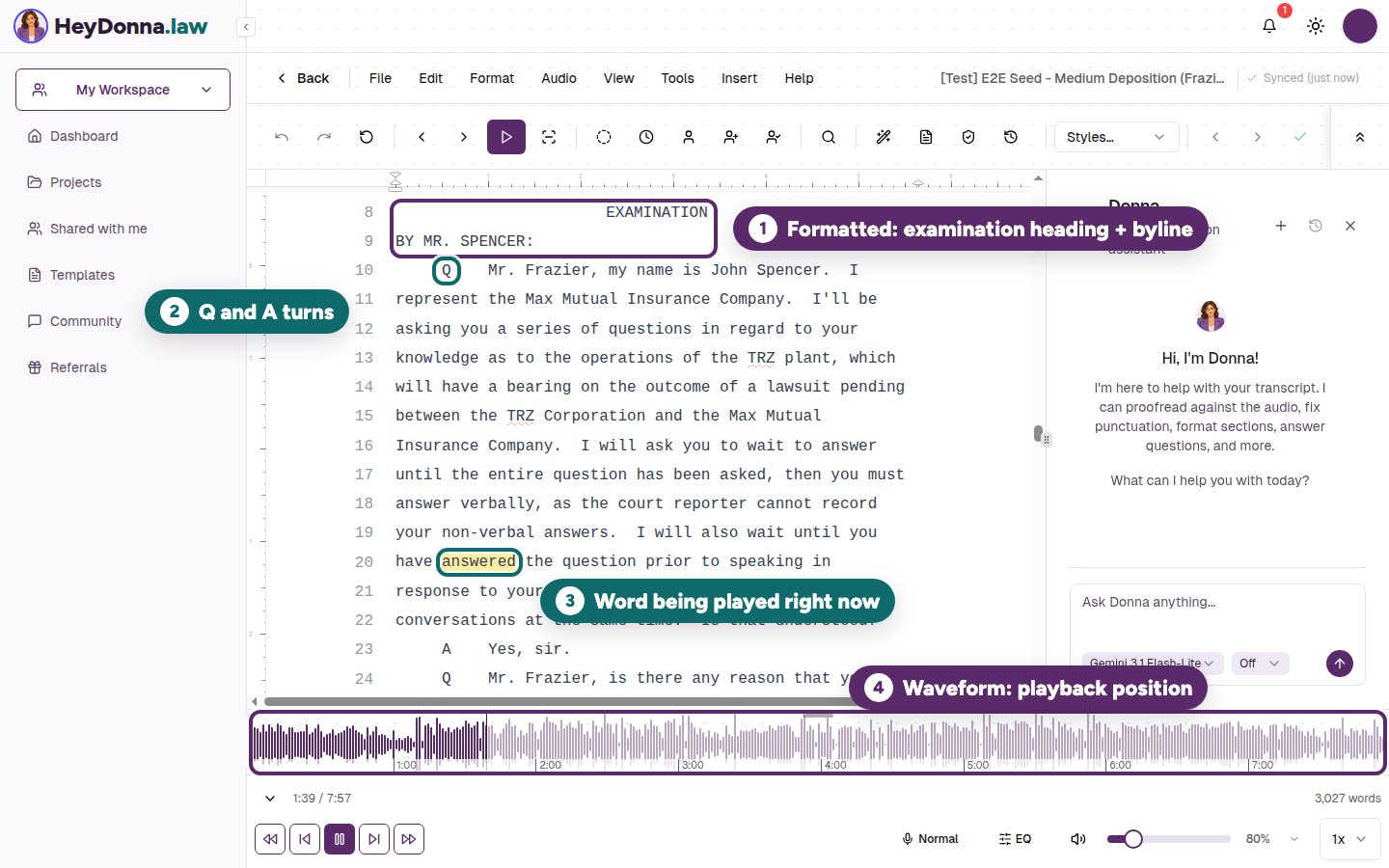
The highlighted word and waveform mark the same playback position in this fictional deposition.
- Play from where you are. Put your cursor in the line you want to check and choose Play Word. With Word Highlighting on, the highlight follows the recording one word at a time, through questions and answers alike. The audio playback guide covers these controls.
- Watch the highlighted word. If what you hear and the highlighted word disagree, stop and fix the word before you touch the punctuation around it.
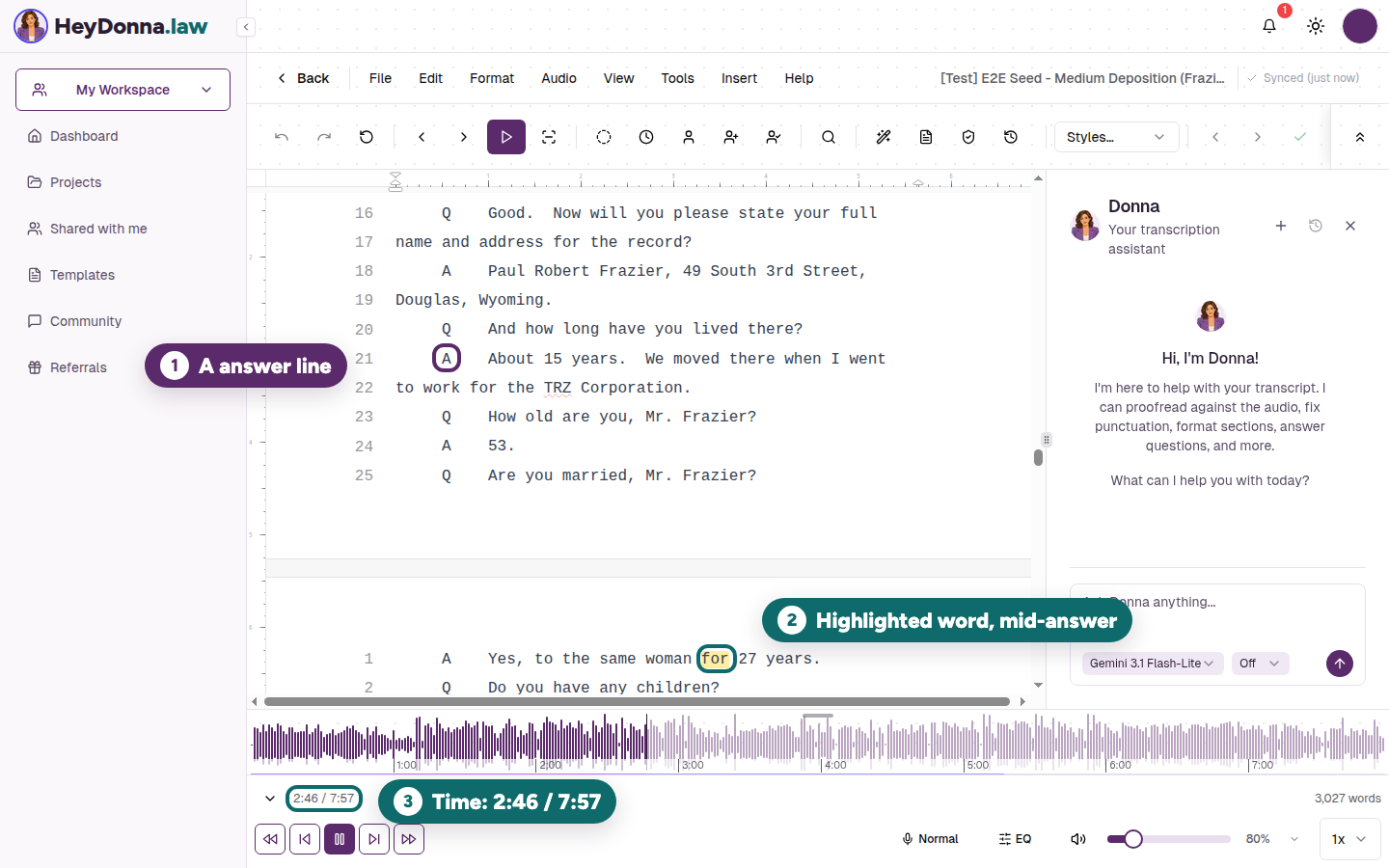
During an answer, the word highlight and time readout help you locate the passage to replay.
- Slow down on short answers. Short answers like “53.” or “Yes, sir.” go by fast. The time readout and waveform show where you are, so you can click back a few seconds and replay a line you are unsure of.
The bounded takeaway
The chains we tested leave gaps in the words, even after case and punctuation are set aside. A trained ear on the audio remains essential to a certified record.
The full table, metric definitions and per-file downloads are on the published leaderboard. For the wider first results, read the Record Test Bench launch post. For how number formatting can look like mishearing in a speech-to-text score, read Benchmarking Nemotron on legal files.